GTA 6 BuckMe Limit Increase: Every Upgrade Tier
How to raise your BuckMe Checking limit in GTA 6: the Family Savings goals, every upgrade tier and perk, and what happens to pending payments when the account is full.

In GTA 6, two things raise your BuckMe Checking limit together: progressing the main story and filling Family Savings (the shared savings account) goals. The limit starts at $15,000, and the next step is $100,000; in-game screens show both. Guides split on what unlocks the $100,000 limit: some say a story upgrade in Chapter 2 (the Silver account), others $10,000 in savings. The higher steps are not confirmed yet; by the widely repeated tier list, $100,000 in savings raises the limit to $500,000, and at the start of Chapter 4 the account moves to the $2,000,000 Premium tier regardless of your savings. If the limit is full, incoming payments are not lost; they are held as “pending”.
We explain how to open the account and how the app works in general in our BuckMe bank account guide. This article only covers raising the limit.
How to increase your BuckMe limit, step by step
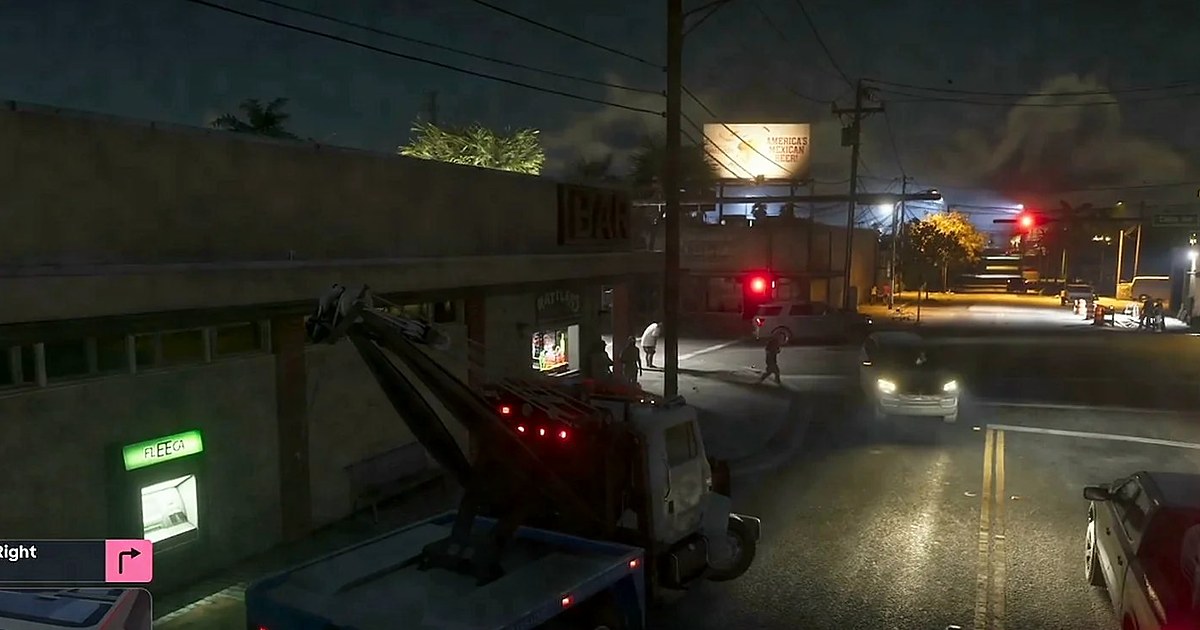
- Deposit cash into Checking. ATMs only deposit to and withdraw from the Checking account. The “ATM Finder” in BuckMe marks the nearest ATM. Details: depositing money at an ATM.
- Open your phone and go to BuckMe. On console, press up on the d-pad to bring up the phone.
- Transfer to Family Savings. On the Family Savings card, press “Buck Yourself”, choose the amount and confirm the warning. The money moves from Checking into savings.
- Fill the goal. Your mission list has a mission that tracks the savings goals and runs throughout the story. When you reach the goal, your Checking limit moves up a tier.
- Keep playing the story. After you fill a goal, the next one only unlocks once you progress a bit further in the story. BuckMe sends upgrade notifications in Chapters 2, 3 and 4.
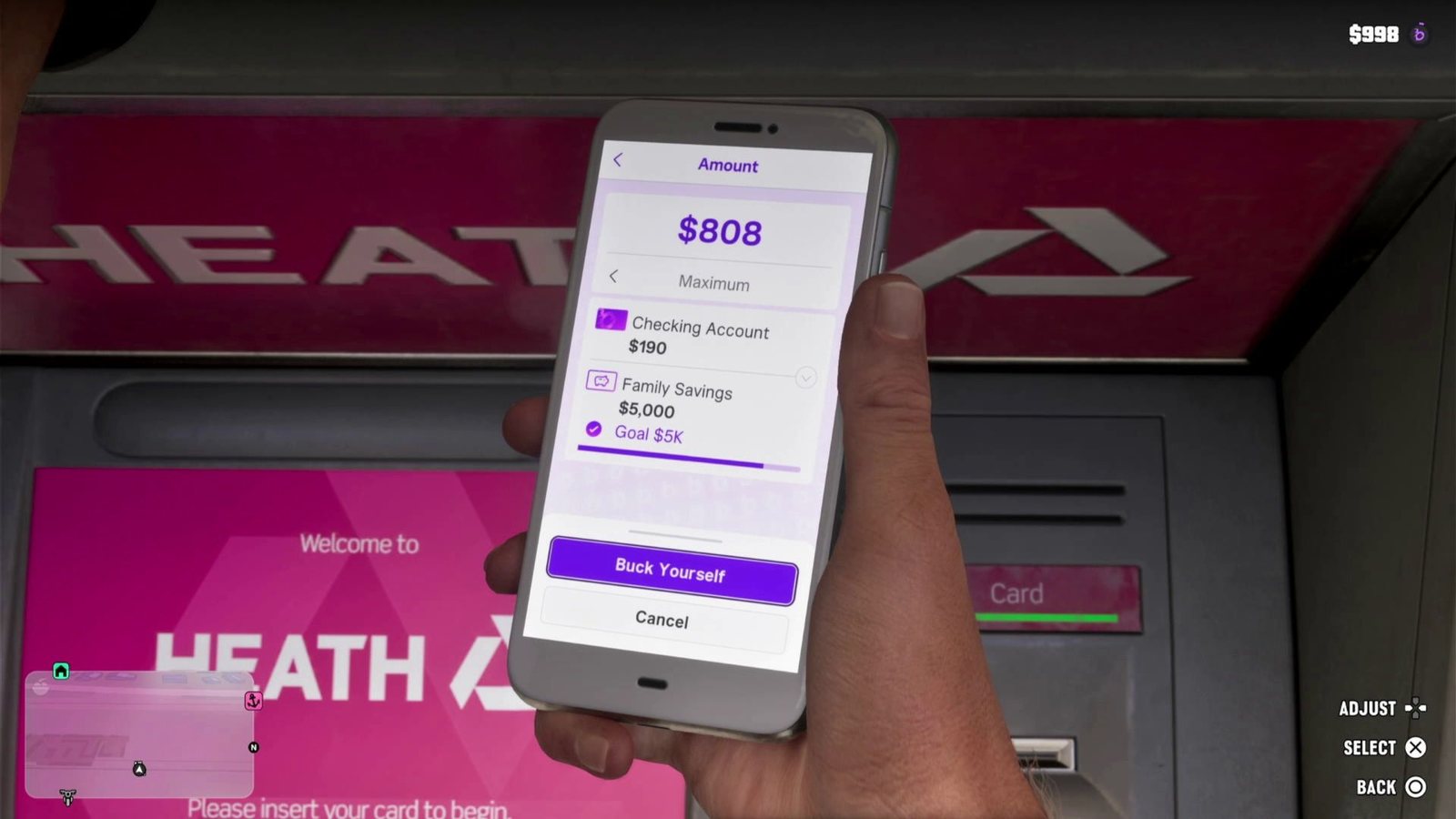
Money sent to Family Savings can never be withdrawn or spent again; in return, it is never lost. So only transfer money you will not need to spend. We cover this side of the account separately in our Family Savings guide.
BuckMe upgrade tiers: Family Savings goals and Checking limits
There are no official tier figures yet. The table below is the tier list that guides repeat with the same names and figures; apart from what appears on in-game screens, treat it as not confirmed yet. The last column shows which details have also been seen on in-game screens. The figures may change with patches.
| Family Savings goal | Tier | Checking limit | Perk | Verified |
|---|---|---|---|---|
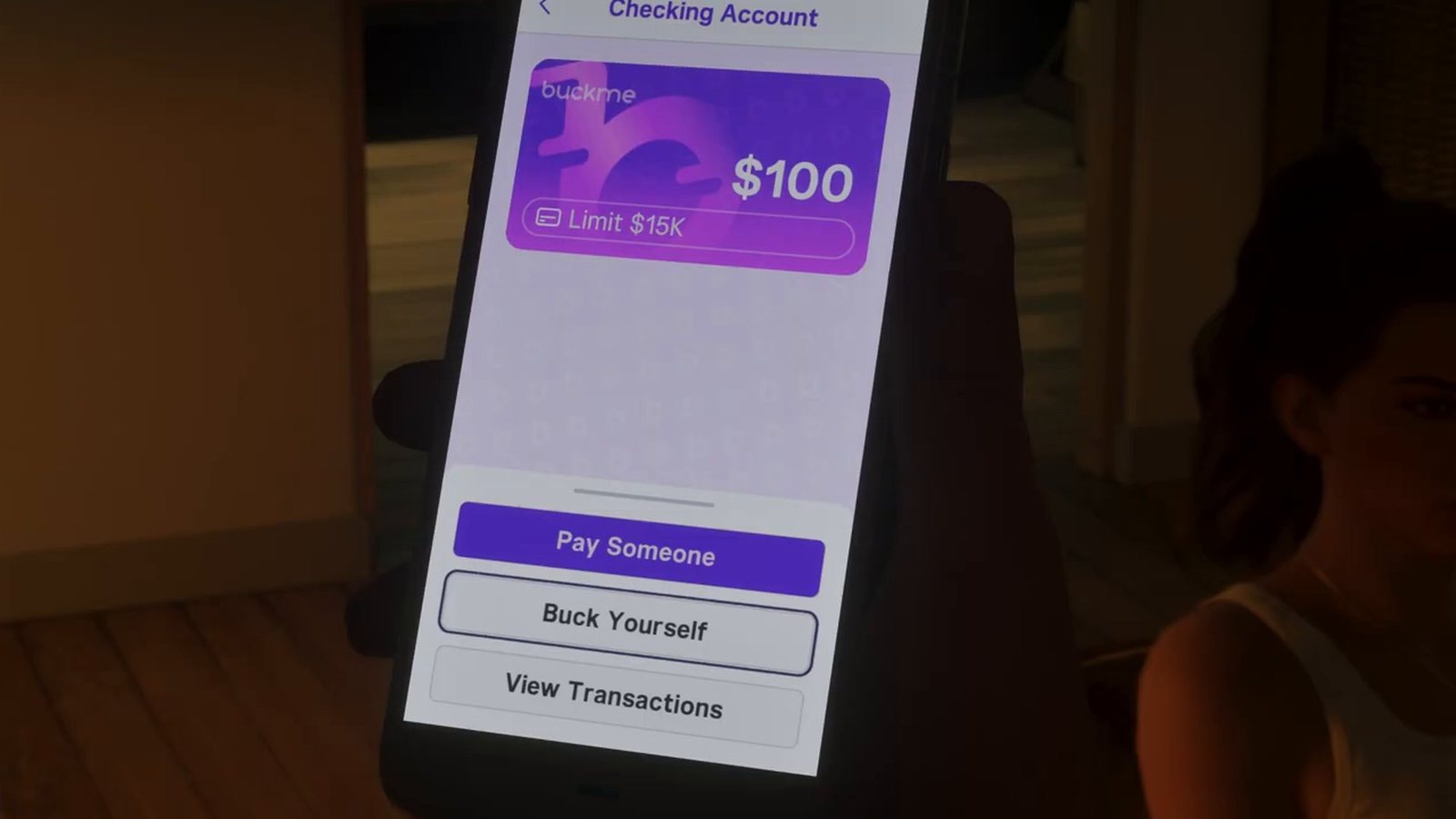
| $5,000 | Buckin’ Broke | $15,000 | None | Goal and limit appear on in-game screens |
| $10,000 | BuckeDry | $100,000 | 20% off RydeMe rides | $100,000 limit appears on screen; the step that unlocks it is disputed (see below); the discount rate is also reported for the Silver upgrade |
| $100,000 | BuckMe Gold | $500,000 | 20% off garage purchases | $100,000 goal appears in the on-screen message; limit and discount rate are not confirmed yet |
| $500,000 (or start of Chapter 4) | BuckMe Premium | $2,000,000 | 10% off liveries | Not confirmed yet |
| $1,000,000 | Rich as Buck | $2,000,000 | None | Not confirmed yet |
| $2,000,000 | Final goal | $2,000,000 / unknown | None / unknown | Not confirmed yet |
When the account is first opened, the Checking card already shows a $15,000 limit. So the first row does not unlock a new limit; it shows the starting tier. The first real jump is the $100,000 limit.
- Premium comes automatically (not confirmed yet). According to the list, at the start of Chapter 4 the account moves to Premium no matter what is in Family Savings. An account upgrade notification does arrive in Chapter 4, but the tier name and the limit it brings are not shown there. The message on your phone reportedly calls this tier “BuckMe Black”, while the app says “Premium”.
- The $1 million and $2 million goals do not unlock a limit. These two are reportedly optional, and $200,000 in interest comes back on the final goal (not confirmed yet).
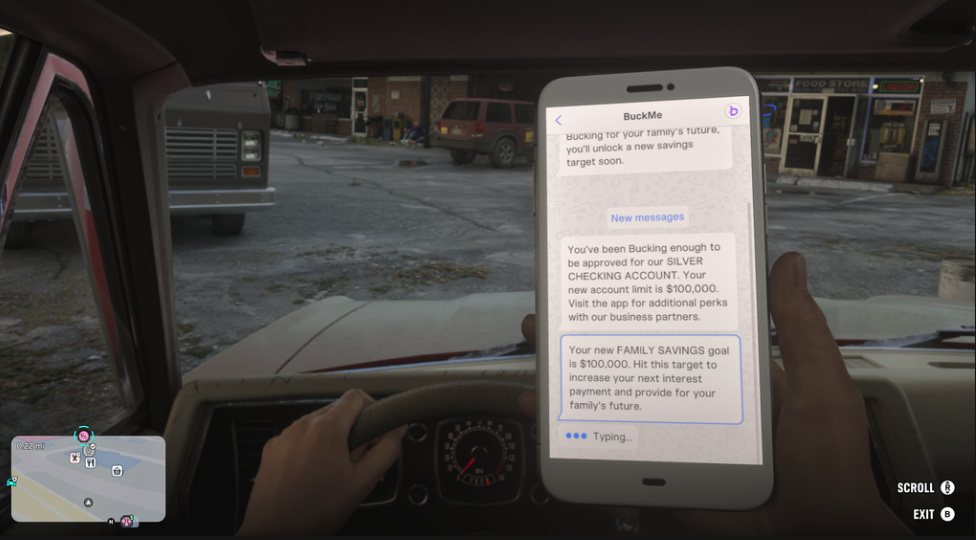
- What unlocks the $100,000 limit is disputed. The tier list gives the $10,000 BuckeDry goal. Other guides, however, say the account moves to Silver through a story mission in Chapter 2: a $100,000 limit, 20% cheaper RydeMe and a new $100,000 savings goal, with no $10,000 step mentioned. The in-game Silver message also shows the new limit and the new goal as $100,000. Yet another figure in circulation gives the second goal as $15,000. What is certain: a $100,000 limit, followed by a $100,000 goal.
- Names can differ in the game. In the message that unlocks the $100,000 limit, the account is called a “Silver Checking Account”. Once the $5,000 goal is filled, a “Bucked Dry” label appears on the savings screen; in the list, though, BuckeDry sits next to the $10,000 goal. So it is unclear which name belongs to which step.
Our take: If the list is right, Premium arrives on its own in Chapter 4, so locking $500,000 into savings early only brings the $2 million limit and the livery discount forward. The first big jump is from $15,000 to $100,000. Since you can put at most $5,000 into savings in Chapter 1, that jump comes in Chapter 2 at the earliest (our calculation). Arriving there with the first $5,000 goal already filled also reportedly brings $2,000 in interest (not confirmed yet); whether you also need to complete $10,000 is disputed among guides.
Why can’t you upgrade BuckMe to $2 million right away?
Rockstar’s support page on this could not be opened; reportedly, it says BuckMe limits increase as the story progresses and recommends continuing the main story when your account is full. Family Savings also has a deposit cap, and this cap rises as the chapters progress. You can put at most $5,000 into savings in Chapter 1. So you cannot deposit hundreds of thousands in Chapter 1 and skip tiers.
If you fill a goal before the next cap increase, you get a big interest bonus. The in-game message also says hitting the goal increases your next interest payment. The only concrete amount reported so far: if you filled the first $5,000 goal in Chapter 1, $2,000 in interest arrives with the Silver upgrade in Chapter 2 (not confirmed yet). The interest rate is not known yet.
When the limit is full: pending payments
Once your Checking account hits its cap, incoming payments do not go into the account; they wait. The payment waits until there is room for the whole amount. Rockstar’s support page reportedly says pending payments are processed when the account is upgraded. In the meantime, you can:
- Spend. Purchases of $1,000 and up are taken from BuckMe, not from your pocket; buying a car, a garage or a gun frees up room in the account quickly.
- Move it to savings. If the Family Savings cap is not full, transfer money from Checking with Buck Yourself. Remember that you cannot take it back.
- Progress the story. The permanent fix is unlocking the next tier.
Most guides say Jason’s and Lucia’s Checking accounts are separate while Family Savings is shared; some describe Checking as a joint account. The cash you can carry in your pocket is limited too: $20,000 per character. For details see our article on how much cash you can carry, and for how money works overall, our money system guide.
Frequently asked questions
Why is my BuckMe limit not increasing or still locked in GTA 6?
Most likely you have not progressed far enough in the story for the next upgrade, or you have not filled the open goal yet. New goals unlock as you progress the story; saving money without doing missions does not raise the limit on its own. Some upgrades can also arrive regardless of savings: the $100,000 Silver limit reportedly comes with a story mission in Chapter 2, and the $2 million Premium tier at the start of Chapter 4 (neither is confirmed yet).
What does “pending” mean in BuckMe, and is my money lost?
It means your account’s limit is full. The incoming payment is held, not lost. Once you spend money, move it to savings or your account is upgraded, the payment goes through.
What is the most money you can keep in the bank in GTA 6?
The highest Checking limit is reportedly $2,000,000 (not confirmed yet). You reach it with the Premium tier, which arrives automatically at the start of Chapter 4.
Can I take back money I put into Family Savings?
No. The transfer screen itself warns that the money can never be withdrawn. On the other hand, that money is not lost when you die or get busted either.
Do I need to save $500,000 to upgrade BuckMe?
Most likely not. The $2 million limit that the $500,000 goal unlocks is reportedly given at the start of Chapter 4 no matter what your savings are (not confirmed yet).


0 Comments
No comments yet.