Does GTA 6 Have First Person Mode?
GTA 6 has no full first-person mode, but the camera moves to your character's eyes in a few situations. The buttons, the phone driving view, the glitch, camera settings and how to zoom out the map.
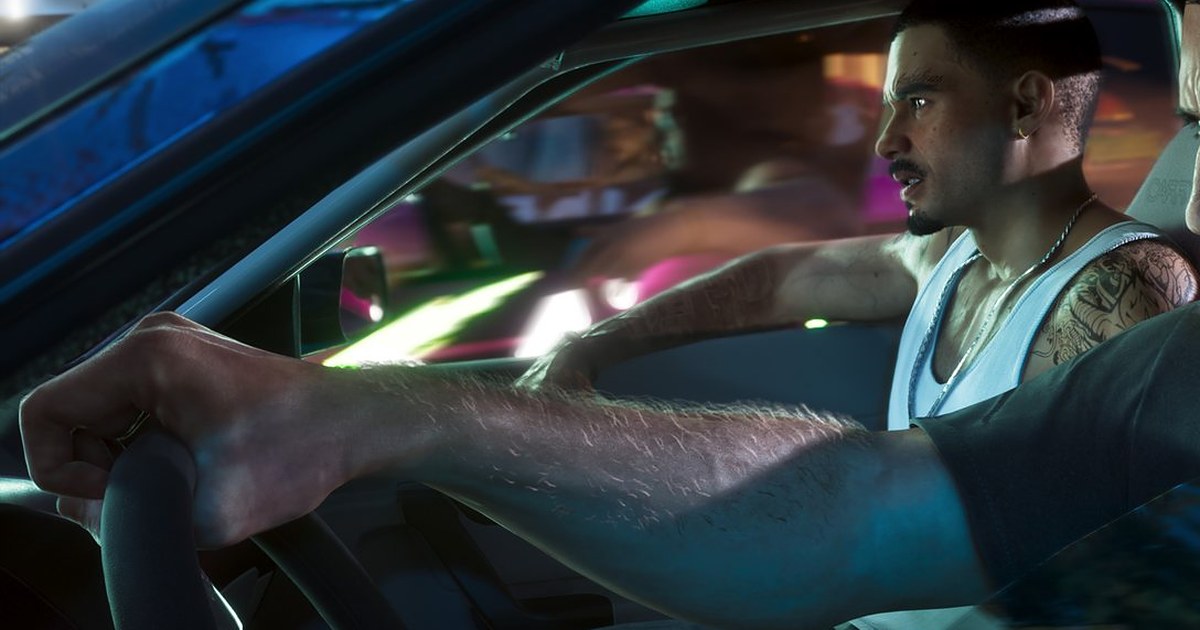
No, GTA 6 does not have a first-person mode like GTA 5’s that you can turn on and play the whole game in. But the camera moves to your character’s eyes in a few situations: while standing still, you can look around in first person with L2 + R3 (LT + press the right stick on Xbox); while driving, taking out your phone switches the view to first person; and the same happens when aiming through a scoped weapon or binoculars. None of these are permanent. A glitch players found lets you stay in first person while walking and driving until you load a save. Rockstar has made no official statement about a first-person mode. For every button, see our GTA 6 controls guide.
| Situation | PS5 | Xbox Series X/S | Can you move? |
|---|---|---|---|
| Looking around while standing | Hold L2 + R3 | Hold LT + press right stick | No |
| While driving | D-pad up (phone) | D-pad up (phone) | Yes, while the phone is open |
| Aiming a scoped weapon | Aim with L2 + R3 | Aim with LT + press right stick | No |
| Binoculars (not confirmed) | Hold L2 | Hold LT | Yes |
| Glitch | Phone + touchpad (below) | Phone + View (below) | Yes, until you load a save |
How to go first person while standing: L2 + R3
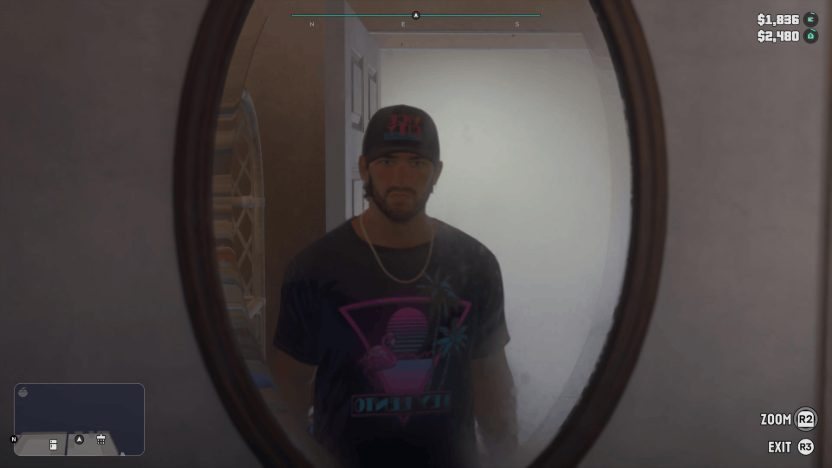
Be on foot and stand still. On PS5, hold L2 and press R3 (the right stick). On Xbox, hold LT and press the right stick. The camera moves to your character’s eyes and you can look around freely. Zoom in with R2 (RT on Xbox) and exit with R3. You cannot take a step; the view closes when you move. The in-game name of this view is “Inspect Surroundings”.
There is a small difference between guides. Most give the method as L2 + R3, while some say to press L2 first, then L3 and R3 together. If L2 + R3 does not work, try the second method. Note: if you press L3 + R3 (both sticks) without holding L2, Focus (the slow-motion ability) turns on instead of first person. For more on Focus, see our Focus guide.
Can you drive in first person in GTA 6?
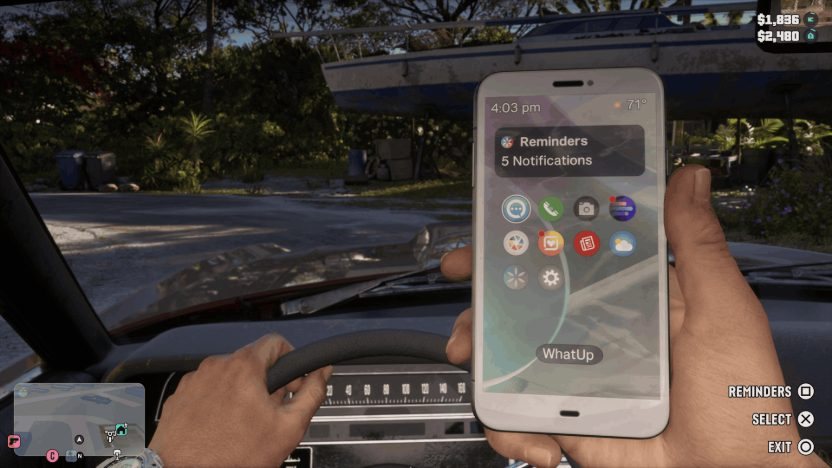
There is no first-person driving camera in the settings, but there is a way: while driving, take out your phone with D-pad up. With the phone in hand, the camera switches to first person and you can keep driving. Put the phone away and the view goes back to third person. Since the phone covers part of the screen, it is not great for chases or races. The view reportedly switches to first person on its own in some vehicles, but it is not clear which ones; otherwise only the phone method is known for driving.
There is also a setting that controls the phone view. Guides do not fully agree here: some say the camera already switches to first person when you take out the phone and the setting makes it more pronounced; others describe the first-person phone view as being turned on with this setting. If the view does not switch to first person when you take out your phone, turn the setting on:
- Pause the game and go to Settings.
- Switch to the Camera tab (the setting is reportedly in the Comfort section).
- Find the Phone Display line.
- Choose First Person.
First person with scoped weapons and binoculars
If your weapon has a scope (optic), aim with L2, then press R3: you look through the scope in first person. You can get a scope at any Ammu-Nation (gun store) by talking to the clerk at the counter and picking it from the attachments. For weapon attachments, see our weapon customization guide.
Binoculars also give a first-person view; the binocular details in this section are not confirmed yet. Jason has binoculars in his inventory from the start of the game. Open the weapon wheel with L1, pick the binoculars in the bottom left and look through them with L2. You can walk with the binoculars, and you zoom in and out with the D-pad. The edges of the screen go black, but since you are not pointing a gun, people around you react less.
The first-person glitch: walking and driving
A glitch players shared on launch day lets you stay in first person. It exploits a bug in the game; it is not a feature Rockstar offers.
Warning: The only known way out of the glitch is to load your last save. Make a manual save before trying it and do not try it during a mission; loading the save loses any progress you made in between.
The steps go like this:
- Pause the game and go to the Settings > Controller tab.
- Change the Touch Pad Button setting at the bottom (View Button on Xbox) from Map to Camera (it may show as “Camera (2/2)” in the menu).
- Get into a car and take the driver’s seat.
- Take out your phone with D-pad up.
- As you close the phone with Circle (B on Xbox), immediately press the touchpad (View on Xbox) repeatedly.
- If you stay in first person even though the phone is closed, it worked. If not, repeat the last two steps; it may take a few tries.
First person carries on when you get out of the car, and the animations are reportedly intact. The catch: you cannot switch back to third person with the camera buttons, which is why the warning above matters. Guides split on platforms: it is also said that there is no need to change the setting on Xbox, but most say to switch the View button to Camera on Xbox too.
The glitch may be patched. It is not in the November 23 update notes; as of November 25, 2026, there is no report of it being patched.
How to change the camera view in GTA 6
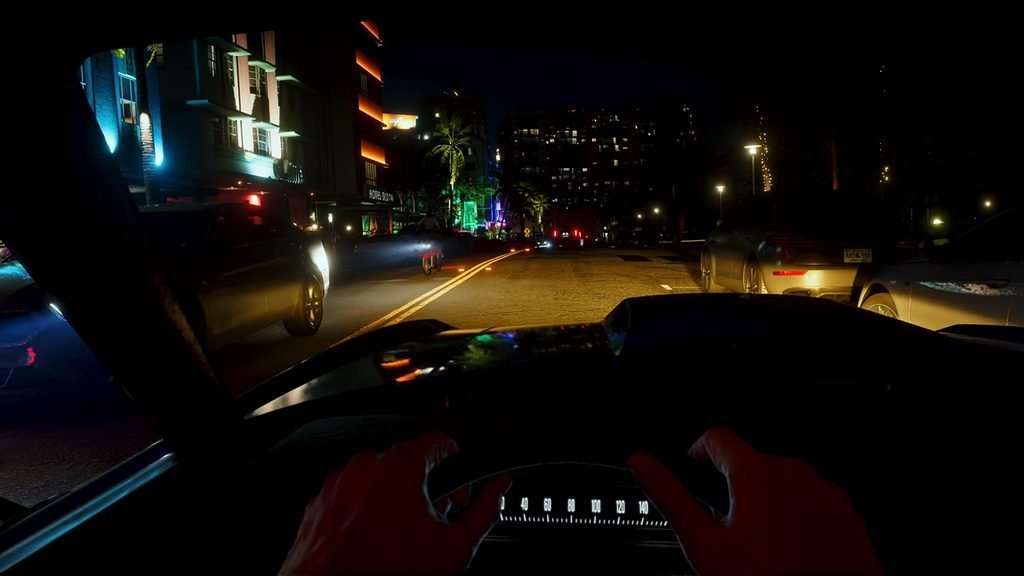
Even without first person, you can adjust the third-person camera:
- Settings > Camera: camera height is set separately for on foot and in vehicles (reportedly Low, Medium and High; Medium by default). Follow speeds are here too.
- Quick switch in vehicles: hold D-pad down and pick one of the three camera options from the menu that opens (guides differ on whether they change distance or height). The cinematic camera is turned on from here too. In control tables, the same hold is listed as “Quick Navigation” (a quick route to nearby places); in-game hints reportedly also show this button for choosing a route.
- Binding the touchpad to the camera: in Settings > Controller, the Touch Pad Button (View on Xbox) setting can be Map or Camera. If you pick Camera, the button that opens the map starts switching the camera instead, and you open the map from the Options menu.
For comfort settings such as camera shake, see our camera settings article.
How to zoom out on the map in GTA 6
Open the map with the touchpad on PS5 or the View button on Xbox. While it is open, L2 (LT) zooms out and R2 (RT) zooms in, and you move around the map with the left stick. When you are inside a building, the map reportedly opens on that building’s floor plan. Zoom out with L2 to see outside. The game does not remember this zoom level: if you close the map and open it again in the same place, you get the floor plan again.
Will a full first-person mode come later?
It is not known. Rockstar has made no such announcement or official statement. Before launch, content creators who attended the preview at Rockstar North reported that the game is built around third person. Studio co-head Rob Nelson reportedly explained that the character animations were prioritized for third person. GTA 5 did not have this mode at first launch either; full first person came in 2014 with the PS4 and Xbox One version. Some expect it may come to GTA 6 later too, but that is only a guess. If you are just starting, you can find the other basic settings in our beginner’s guide.
Frequently asked questions
Can you drive in first person in GTA 6?
There is no separate mode. While driving, taking out the phone with D-pad up switches the camera to first person, and you drive that way as long as the phone stays open. The only way to stay in first person permanently is the glitch.
How do you go first person in GTA 6?
While standing still, hold L2 and press R3 on PS5, or hold LT and press the right stick on Xbox. Most guides give this method; some say to press L3 and R3 together after L2. You go back to third person when you start walking.
How do you get out of the first-person glitch?
The only known way is to load your last save. Make a manual save before trying the glitch and do not try it during a mission, or you will lose progress.
How do you zoom out on the map in GTA 6?
Open the map with the touchpad (View on Xbox), zoom out with L2 (LT) and zoom in with R2 (RT).
Can you aim in first person in GTA 6?
Only with a scoped weapon. Get a scope fitted at Ammu-Nation, aim with L2 and press R3. First-person aiming is only known for scoped weapons.
0 Comments
No comments yet.