Compare · Monitors
Dell Alienware 27 4K QD-OLED Gaming Monitor AW2725Q vs Dell Alienware 32 4K QD-OLED Gaming Monitor AW3225QF

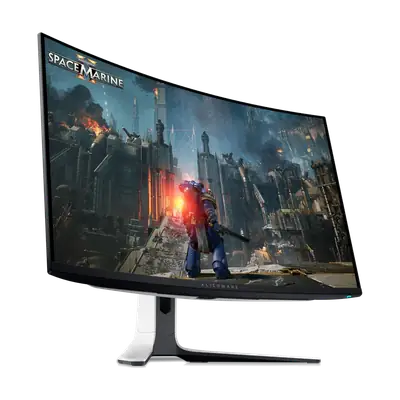
| Technical specs | Dell Alienware 27 4K QD-OLED Gaming Monitor AW2725Q | Dell Alienware 32 4K QD-OLED Gaming Monitor AW3225QF |
|---|---|---|
| Panel | ||
| Screen size | 26.7" | 31.6" |
| Resolution | 3840 × 2160 (4K UHD) | 3840 × 2160 (4K UHD) |
| Pixel density | 165 ppi (better) | 139 ppi |
| Pixel pitch | — | — |
| Panel type | QD-OLED | QD-OLED |
| Panel technology | Quantum Dot OLED | Quantum Dot OLED |
| Refresh rate | 240 Hz | 240 Hz |
| Response time (GtG) | 0.03 ms | 0.03 ms |
| Response time (MPRT) | — | — |
| Curvature | flat | 1700R |
| Aspect ratio | 16:9 | 16:9 |
| Screen surface | — | — |
| Viewing angle (H/V) | — | — |
| Brightness (typ.) | 250 nits | — |
| Peak brightness (HDR) | 1,000 nits | — |
| Contrast | 1,500,000:1 | 1,000,000:1 |
| HDR | — | VESA DisplayHDR True Black 400, Dolby Vision |
| DCI-P3 | 99% | 99% |
| sRGB | — | — |
| Adobe RGB | — | — |
| Rec. 2020 | — | — |
| Colour accuracy (ΔE) | — | — |
| Colour depth | 10-bit | 10-bit |
| Colours | 1.07 billion | 1.07 billion |
| Sync and gaming | ||
| Adaptive sync | G-SYNC Compatible, FreeSync Premium Pro, VESA AdaptiveSync | G-SYNC Compatible, VESA AdaptiveSync |
| VRR range | — | — |
| Dual mode | — | — |
| Motion blur reduction | — | — |
| Console features | — | — |
| Gaming features | — | — |
| Eye care and certifications | ||
| Flicker-free | — | — |
| Low blue light | — | — |
| Certifications | — | — |
| Ports | ||
| Inputs and outputs | — | — |
| HDMI | 2 | 2 |
| HDMI version | 2.1 | 2.1 |
| DisplayPort | 1 | 1 |
| DisplayPort version | 1.4 | 1.4 |
| USB-C (power) | — | — |
| USB-C (DisplayPort Alt Mode) | — | — |
| USB hub | 3× USB 5 Gbps Type-A + 1× USB-C (15 W) | 3× USB 3.2 Gen 1 Type-A + 1× USB-C (5 Gbps, BC1.2) |
| DisplayPort out (daisy chain) | — | — |
| KVM | — | — |
| PiP / PbP | — | — |
| Smart TV platform | — | — |
| Speakers | — | — |
| Headphone out | — | — |
| Stand and size | ||
| Stand adjustment | Tilt, Swivel, Height, Pivot | Tilt, Swivel, Height |
| Height adjustment | — | — |
| Tilt | -5° ~ +21° | -5° ~ +21° |
| Swivel | -20° ~ +20° | -20° ~ +20° |
| Pivot | -90° ~ +90° | — |
| VESA mount | 100x100 mm | 100x100 mm |
| Power (typ.) | 39 W | 43 W |
| Power (max.) | — | — |
| Power (standby) | — | — |
| Power supply | — | — |
| Weight | 6,790 g (better) | 9,350 g |
| Weight (without stand) | — | — |
| Width | — | 715.6 mm |
| Height | — | 421.9 mm |
| Depth | — | 106.4 mm |
| Colours | — | — |
| Warranty | 3 years | 3 years |
| Burn-in covered by warranty | — | Yes |