How to Deposit Money in GTA 6: ATMs, Limits and BuckMe
How to deposit cash in GTA 6: finding the nearest ATM with BuckMe's ATM Finder, depositing and withdrawing, the account limit, why Family Savings is separate, and what to check if an ATM does not work.
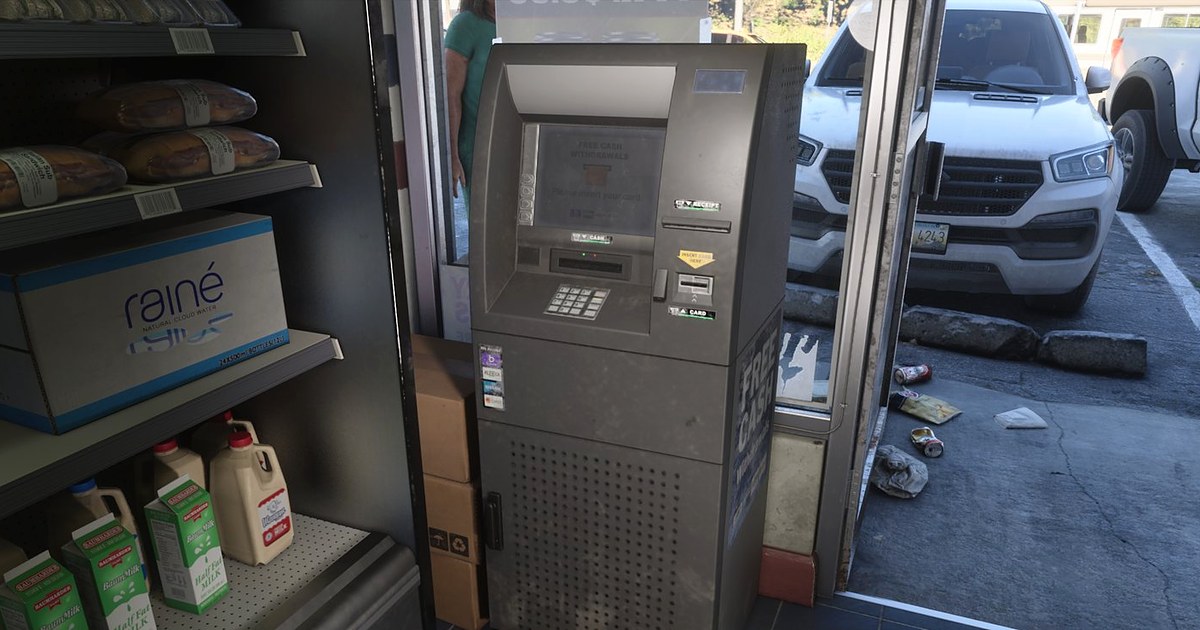
In GTA 6, the only way to deposit cash into the bank is an ATM. You cannot deposit cash from your phone. Once your BuckMe account opens in the story (about halfway through Chapter 1), open the BuckMe app on your phone, mark the nearest ATM on the map with ATM Finder > Set Destination, choose Deposit at the ATM, set the amount and confirm. The money moves to your Checking account right away; you can also take it back out at the same ATM with Withdraw. Until the account opens, the ATM is no use to you; until then, keep your cash in the floorboard stash in Jason’s bedroom.
We cover how the account opens and the difference between Checking and Family Savings in our BuckMe bank account guide. This article only covers the ATM side.
GTA 6 ATM locations: how to find an ATM
The easiest way is BuckMe’s own ATM locator. The buttons below are for consoles:
- Take out your phone with D-pad up.
- Open the BuckMe app, the one with a purple background and a small letter b.
- Scroll down and choose Set Destination on the ATM Finder card (X/A).
- The nearest ATM is marked as a destination on the map; follow the route.
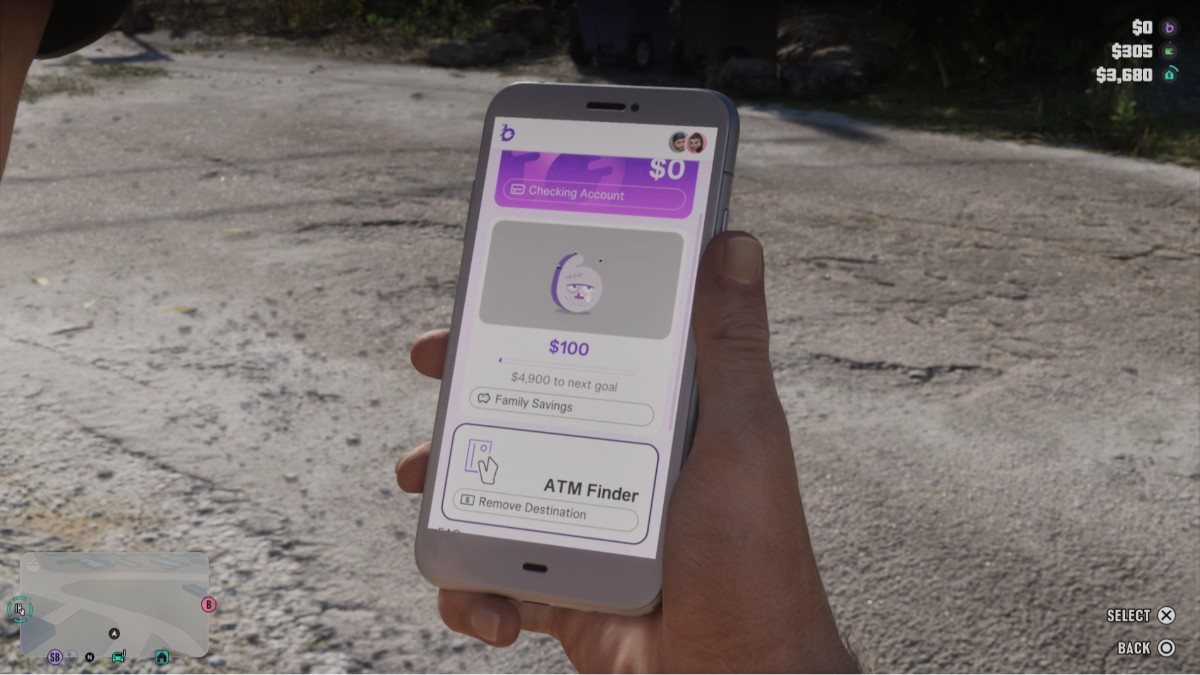
Guides differ on how ATMs appear on the map: some say ATMs have no map icon and you can only find them with the app, while others mention an icon of a hand holding a credit card. ATM Finder works everywhere either way. ATMs are found in convenience stores, on store walls and in front of banks; they are reportedly common at gas stations too (not confirmed yet). There are reportedly two ATMs next to Roasters in the open-air plaza of the Piker Financial Center in Downtown Vice City (not confirmed yet).
ATMs you can pull out with a tow truck also work like normal ATMs for depositing and withdrawing money. Pulling them out is a separate job: ATM theft guide.
The nearest ATM to Jason’s house
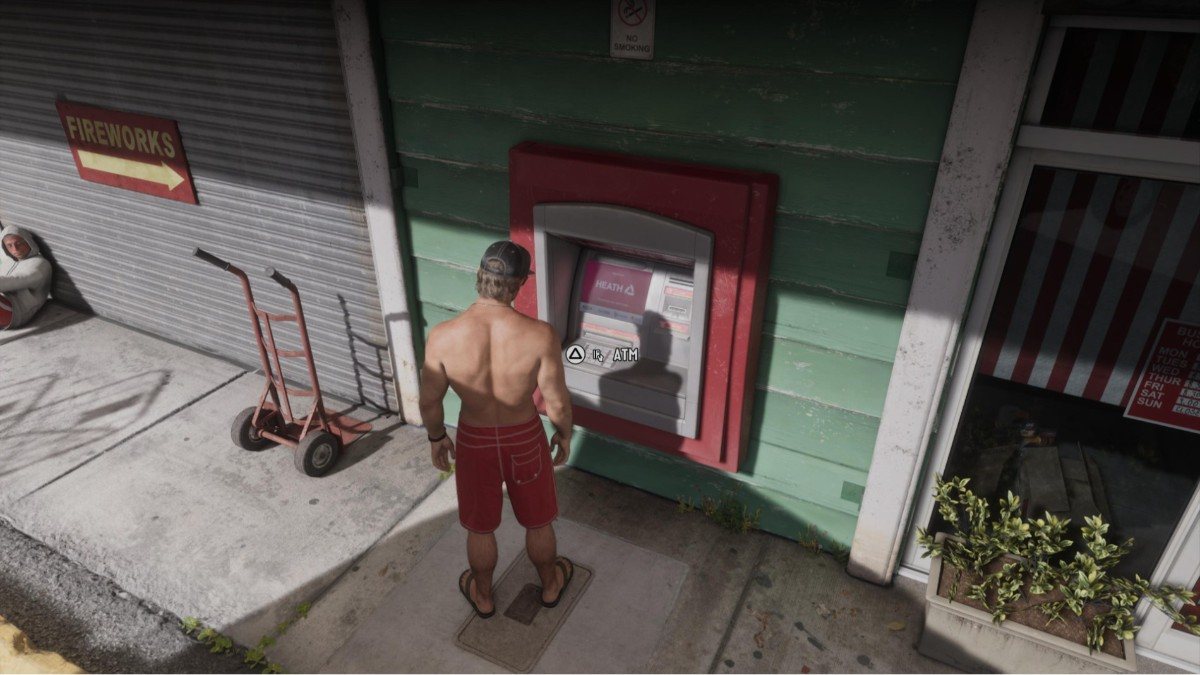
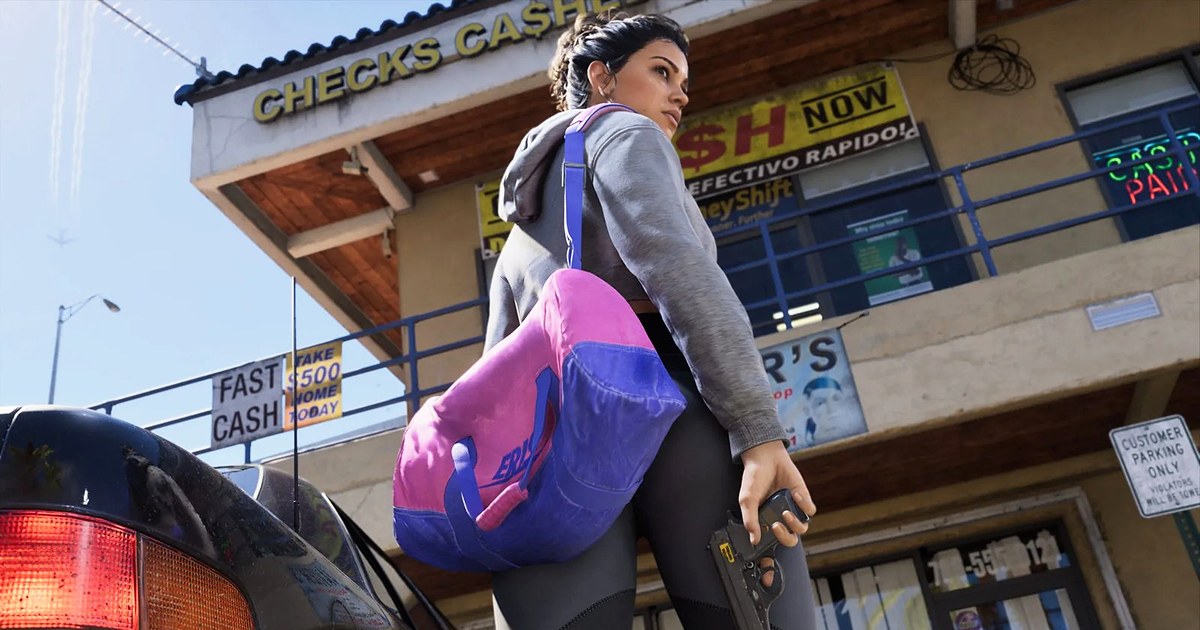
There is an ATM right near Jason’s house: at the start of the game, the nearest ATM to the house is in front of the Chuck’s Tackle & Shot store (some guides describe it as an Ammu-Nation). Our map does not have an ATM layer yet; ATM Finder takes you here or to whichever ATM is closest to you at the moment.
How to deposit and withdraw money at an ATM
- Walk up to the ATM and press Triangle/Y.
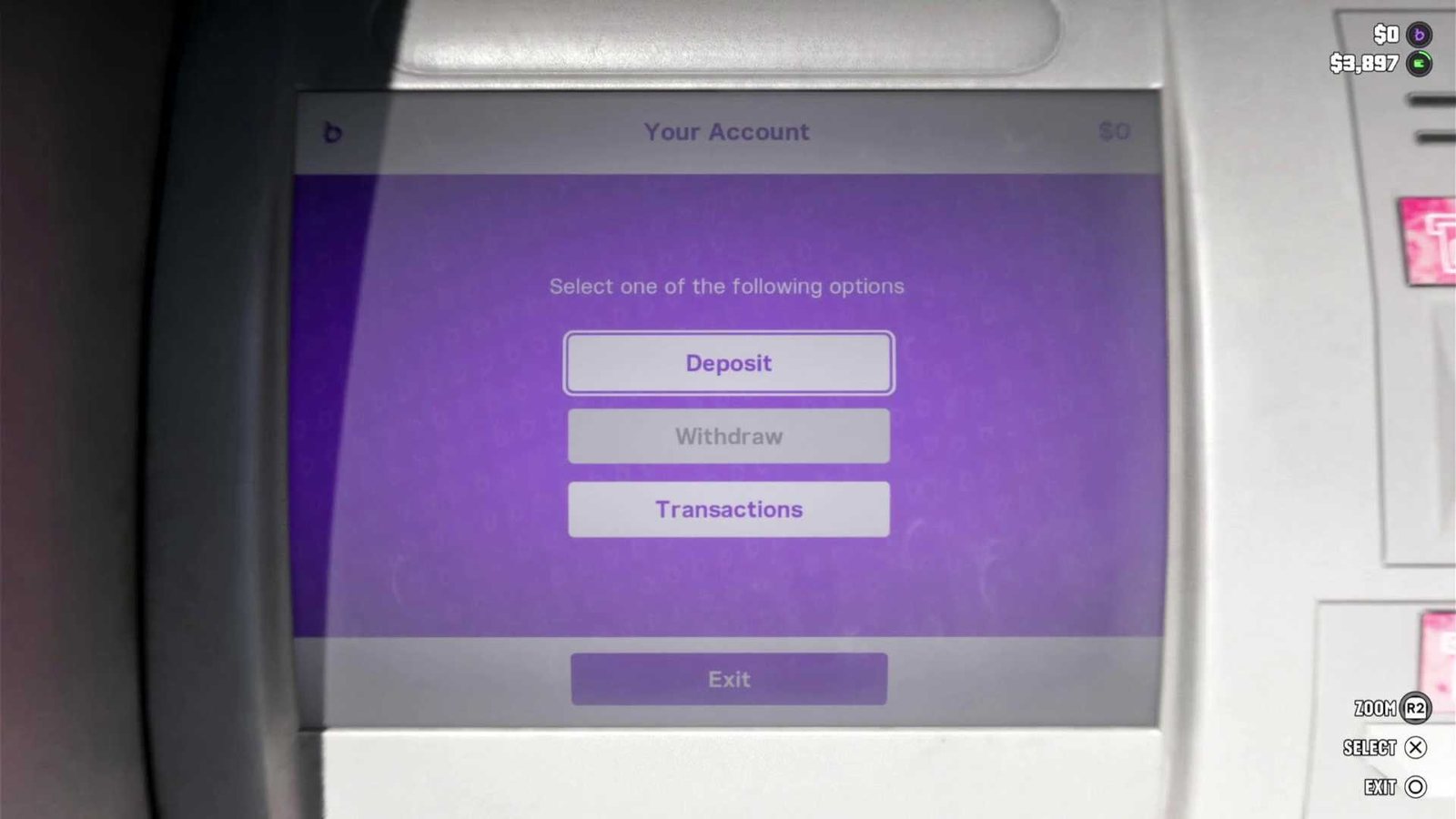
- Choose Deposit from the menu.
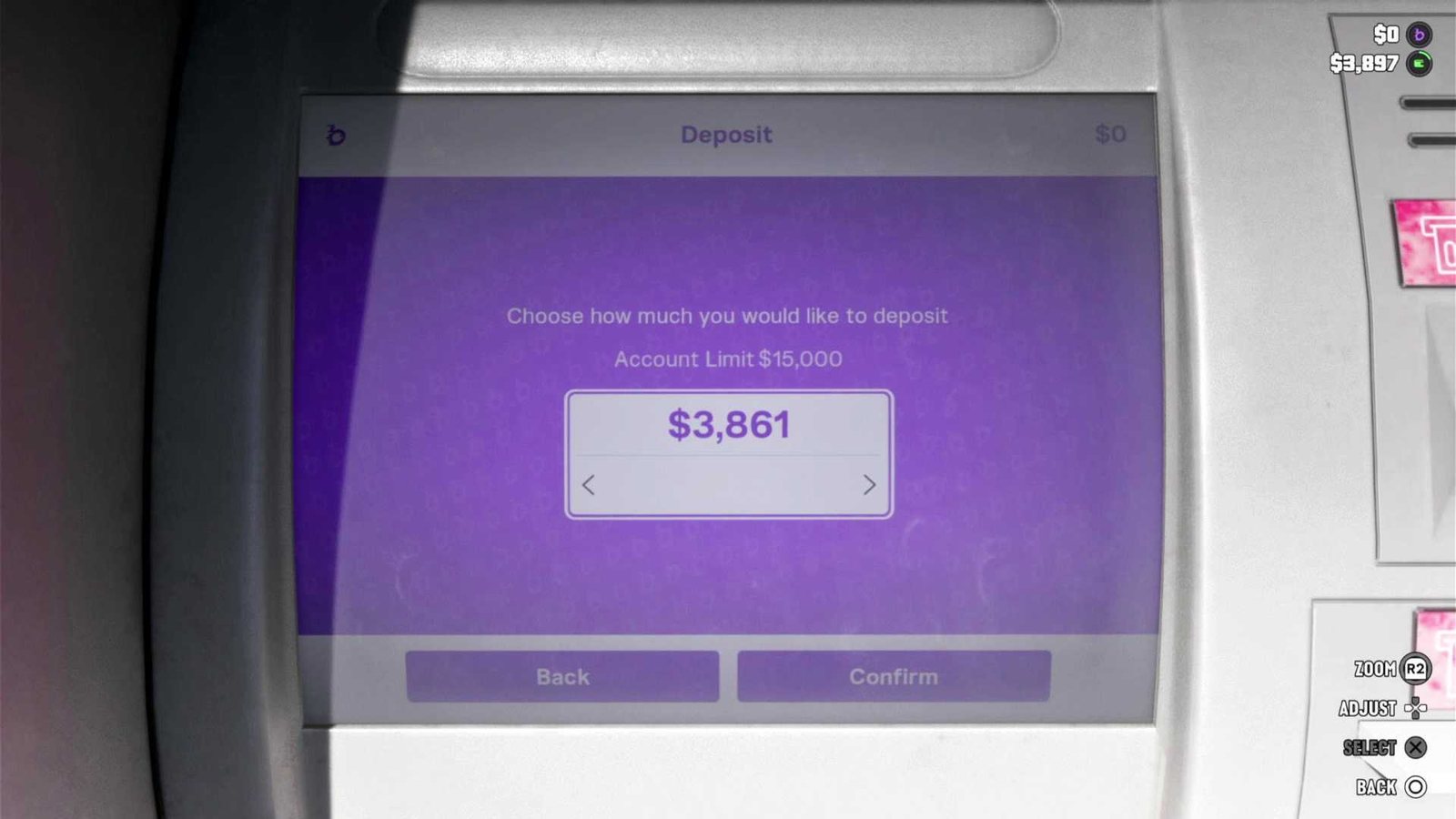
- Set the amount with D-pad left/right. The screen reportedly opens with all the cash on you already entered; if you are depositing all of it, skip this step (not confirmed yet).
- Confirm with Confirm (X/A). The money moves to your Checking account instantly.
| Menu | What it does |
|---|---|
| Deposit | Deposits the cash on you into your Checking account |
| Withdraw | Withdraws money from your Checking account to your pocket |
| Transactions | Shows your account’s recent activity |
How much can you deposit? The deposit screen also shows your account limit; when the account first opens, that limit is $15,000. If there is no room left in your Checking account, you cannot deposit more. Up to $20,000 can reportedly be deposited or withdrawn in a single transaction (not confirmed yet); since you can only carry up to $20,000 in cash per character anyway, all the cash on you goes in at once if there is room in the account. Numbers may change with patches. How the limit grows is covered in our BuckMe limit guide.
Tip: On the first deposit after the account opens, a hooded person reportedly walks up when you leave the ATM and demands all your money; if you deposited all your cash, you have nothing left, so he gives up and leaves (not confirmed yet, and it is not clear whether this happens every time). Not keeping cash on you pays off here too.
You cannot deposit into Family Savings at an ATM
ATMs only work with the Checking account. To put money into savings, first deposit it into Checking at an ATM, then move it with Buck Yourself on the Family Savings card in the BuckMe app. This transfer cannot be undone; money in Family Savings can never be withdrawn, but it is not lost either. Details are in our Family Savings guide.
Why you should deposit your money
- Cash on you is lost. When you die or get arrested, you lose all the cash on you. Guides differ on the Checking account: most write that a small fee is taken, while others say money in the bank is safe. The amount of the fee is not clear. Either way, it is much safer than carrying it.
- Big purchases come from the bank. Stores take cash up to $999; $1,000 and above is charged to your BuckMe account. If you have no cash on you, small purchases are also paid from the account.
- When to withdraw? Strip clubs reportedly do not accept BuckMe; withdraw cash at an ATM before you go there (not confirmed yet).
- Stop by before a risky job. Empty your pockets before you head out on a robbery or a raid. For how much you can carry at most, see our cash limit guide.
Guides differ on Jason and Lucia’s Checking accounts: some write that each character has a separate Checking account, while others write that the two share an account. Family Savings is shared.
Watch out: When Chapter 1 ends, the cash on you, the floorboard stash and your Checking balance reportedly do not carry over to the next chapter; only Family Savings does. As you near the end of the chapter, move the money you want to keep into Family Savings. Details: Chapter 1 money reset guide.
ATM not working? Possible causes
- Your account has not opened yet. ATMs only work after your BuckMe account opens in the story. Before that, put your cash under the loose floorboard in Jason’s bedroom. The stash option may reportedly stop appearing some time after the account opens (not confirmed yet). For the stash, see our Jason’s stash guide.
- Your account is full. If you have hit your Checking limit, the deposit amount is capped, and incoming payments are held. Spend, move money to savings, or progress in the story.
- You are trying to deposit from your phone. There is no transfer between cash and the account in the app; you need to go to an ATM every time.
- Your loot is not cash. Marked bills, jewelry and drugs from robberies do not count as cash; they go into your bag and are sold to a buyer. What you can deposit at an ATM is the cash you get from that sale.
Frequently asked questions
Where are the ATMs in GTA 6?
They are everywhere, but the fastest way is ATM Finder in the BuckMe app: press Set Destination and the nearest ATM is marked on the map. At the start of the game, the nearest ATM to Jason’s house is next to Chuck’s Tackle & Shot.
Why is the ATM not working in Chapter 1?
Most likely your BuckMe account has not opened yet; it opens with the story about halfway through Chapter 1. If the account is open, your Checking limit may be full. You can see the limit on the deposit screen.
Can you deposit money from your phone in GTA 6?
No. With your phone you can only check your account, find an ATM and move money from Checking to Family Savings. To get cash into the account, you need an ATM.
How do you add money to BuckMe in GTA 6?
Deposit the cash on you at an ATM with Deposit. The money goes into your Checking account. To add it to Family Savings, use Buck Yourself in the app afterward.
Can you withdraw money from an ATM in GTA 6?
Yes. Use Withdraw in the same menu to take money from your Checking account to your pocket. Big purchases are paid from the account anyway.

0 Comments
No comments yet.